 ArtUp Labs
Published 2026-10-08 · Last checked 2026-10-08
What Shopify supports out of the box
- Formats: GLB and USDZ, up to 500 MB per file. (source: Shopify Help: product media types)
- Viewer: Shopify-hosted 3D models are shown with Google's model-viewer component; AR opens AR Quick Look in Safari on iOS and Scene Viewer on Android. (source: Shopify developer docs: support media)
- Themes: all Online Store 2.0 themes support 3D models; some third-party themes may need an update. (source: Shopify Help: product media types)
- USDZ for iPhone: Shopify converts uploaded files so both formats are available. (source: Shopify Help: product media types) When we uploaded GLB files to our development store (October 2026), Shopify created the USDZ itself every time.
So you don't need an app to show a 3D model. What most stores lack is the model itself.
Add a 3D model to a product, step by step
- Get a GLB file of the product. GLB is the binary form of glTF, the open 3D format Shopify product media accepts (with USDZ). Four ways to get one are below.
- Check the file before uploading. Shopify accepts 3D files up to 500 MB, but its 3D standards checklist recommends a total size of about 4 MB and textures no larger than 2048 × 2048 px, so the model loads fast on phones.
- Open the product in your Shopify admin. Go to Products, open the product, and find the Media section.
- Upload the GLB to Media. Use Upload new or drag the file into Media. Shopify processes the model and makes it available for both Android and iPhone.
- Order the media. Drag the model to the position you want in the gallery. 3D models can't be used as variant media, so they show for the whole product.
- Check the product page on a phone. Open the product on your store from a phone: the model rotates in the gallery, and the AR button places it in the room (AR Quick Look on iPhone, Scene Viewer on Android).
Sources: Shopify Help: adding media, Shopify 3D model standards checklist, Shopify developer docs: support media.
Four ways to get a 3D model
| Way | What you need | Good for |
|---|---|---|
| 1. Hire a 3D artist | Product photos and dimensions; Shopify suggests finding a 3D modeler in the Shopify Partner Directory (source: Shopify Help: hire a 3D expert) | Hero products, configurable items, exact geometry |
| 2. Scan the product | The physical item and a scan app on a phone (for example Polycam or KIRI Engine) (source: Polycam pricing) | Items you have in stock, with simple materials |
| 3. Model it in Blender | 3D skills and time; Blender is free and open source (source: blender.org) and exports GLB since version 2.8 (source: Shopify: creating 3D models in Blender) | Teams with an in-house 3D person |
| 4. Generate it from a photo | The product photo you already have | Large catalogs where no models exist yet |
Way 4 is what we build. In our tests a model took 135–209 seconds to generate from one photo; after compression the GLB files were 3.0–4.3 MB, close to Shopify's recommended total of about 4 MB. A single photo doesn't tell the real dimensions, so you set the item's height before the model goes to AR. Compare the options in detail: photo to 3D vs a 3D artist vs scan apps.
Example: one photo, one model
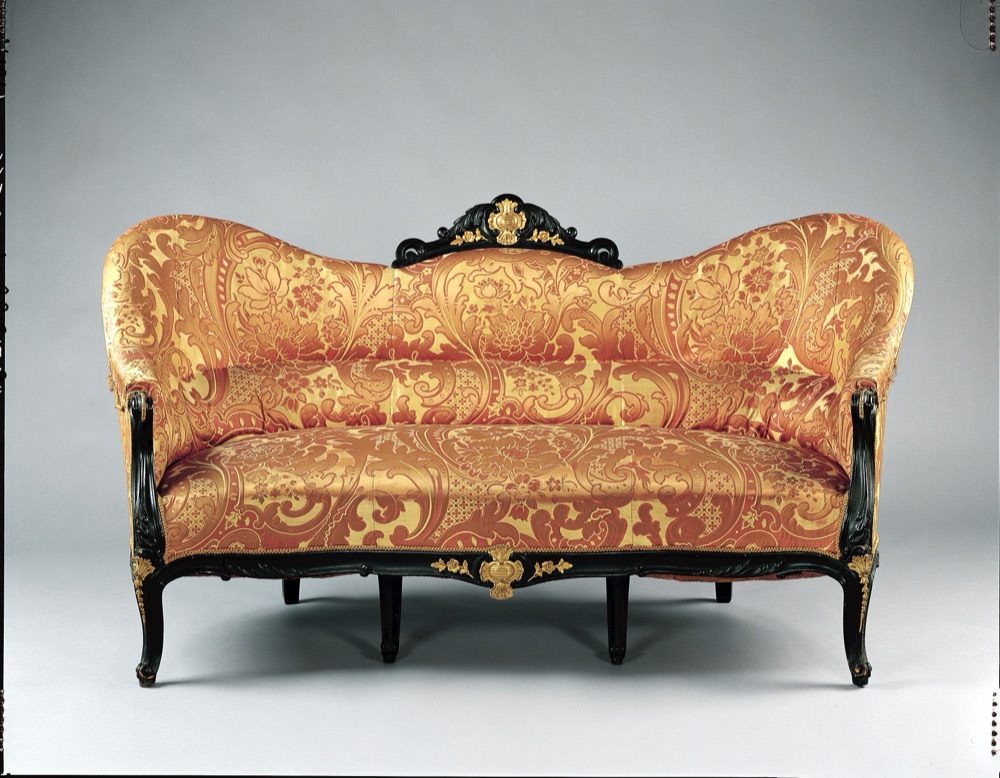
The left image is the only input. The right is the model generated from it — the kind of GLB you would upload in step 4.
Want to see it with your own product? Make a free 3D preview from a photo and download the GLB.
Add 3D to every product, from the photos you already have
ArtUp: 3D Models & AR Room makes a 3D model from each product photo inside your Shopify admin, lets you accept or regenerate it, adds it to the product's media, and lets shoppers place several products together in their room.
Coming to the Shopify App Store — until then the first button opens the app's page.
Questions
Do I need to upload a USDZ file as well as a GLB?
Usually not. Shopify accepts both formats and converts uploads so both are available. In our own tests on a development store, Shopify created the USDZ for every GLB we uploaded.
Which Shopify themes show 3D models?
Shopify says all Online Store 2.0 themes support 3D models. If you use an older or third-party theme, ask the theme developer.
How big can the 3D file be?
Shopify accepts up to 500 MB, but recommends about 4 MB in total for a fast page. Our generated models were 3.0–4.3 MB after compression.
Can shoppers see several products together in AR?
Shopify's built-in AR shows one model at a time. Showing several products together needs an app, such as the AR Room block of our app.